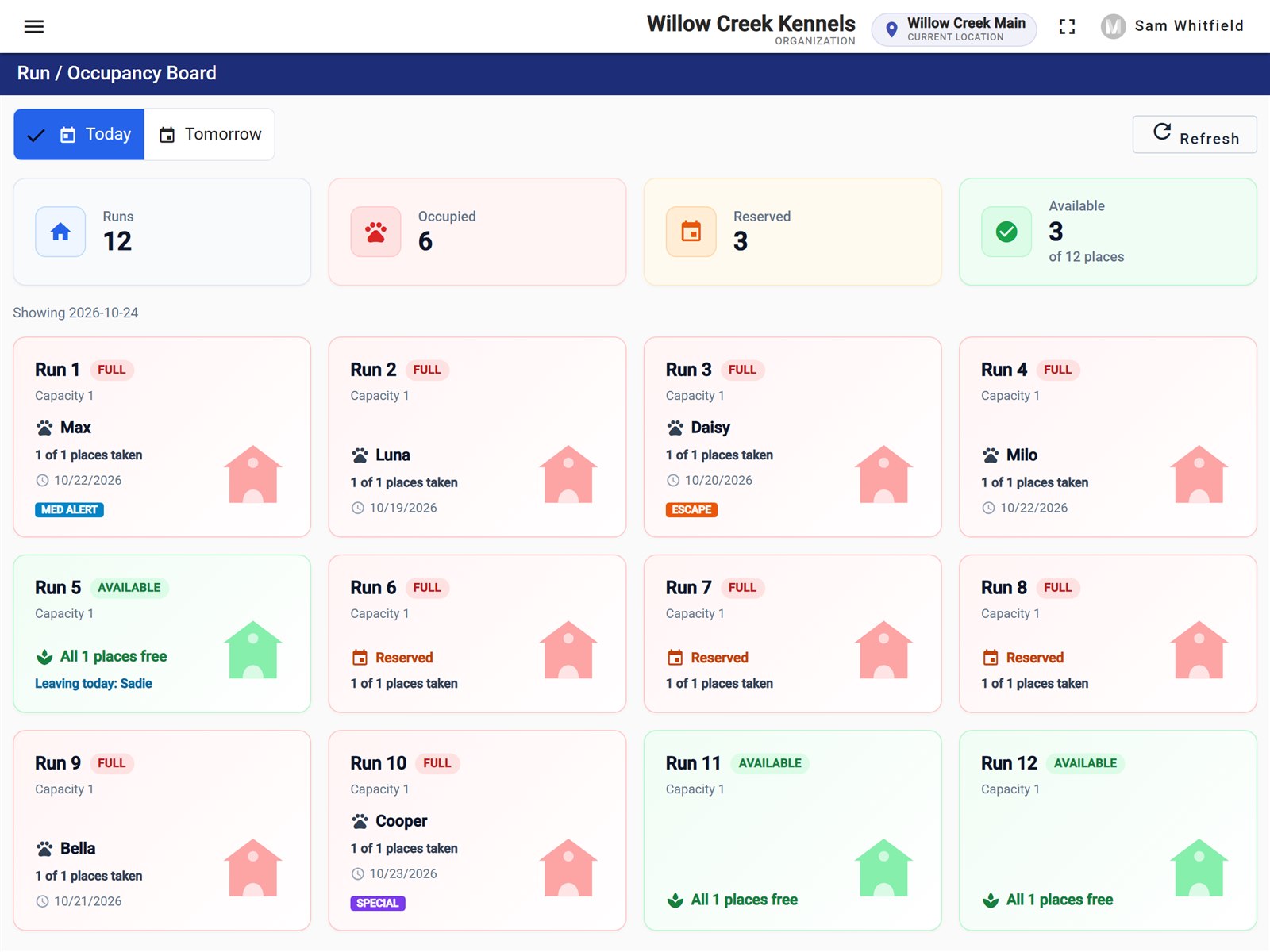
See every run, and never double-book one
Boarding and daycare reservations with a deposit. A run that is full or out of service says so before the booking is saved, and holidays warn you.
Kennels360 runs the front desk of a boarding and daycare kennel: bookings, runs, check-in, medication and feeding, check-out, payments and the daily report. One screen for each job, in the order your day happens.
Runs in the browser. Set up with you. Your kennel's data stays yours.

The software
These are the real screens, shown with a made-up kennel.
Boarding and daycare reservations with a deposit. A run that is full or out of service says so before the booking is saved, and holidays warn you.
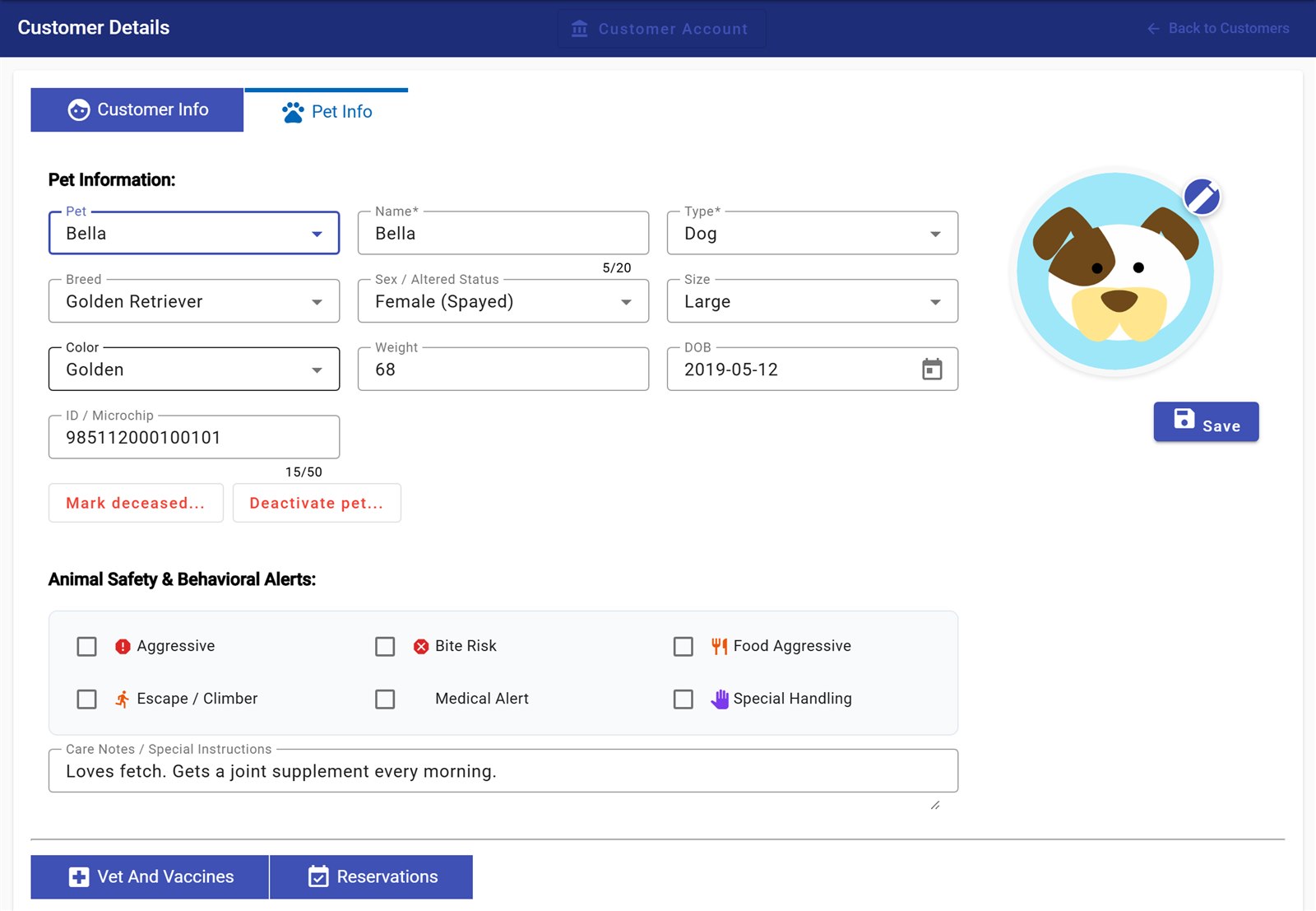
One profile with care notes and safety alerts for biting, escaping or special handling.
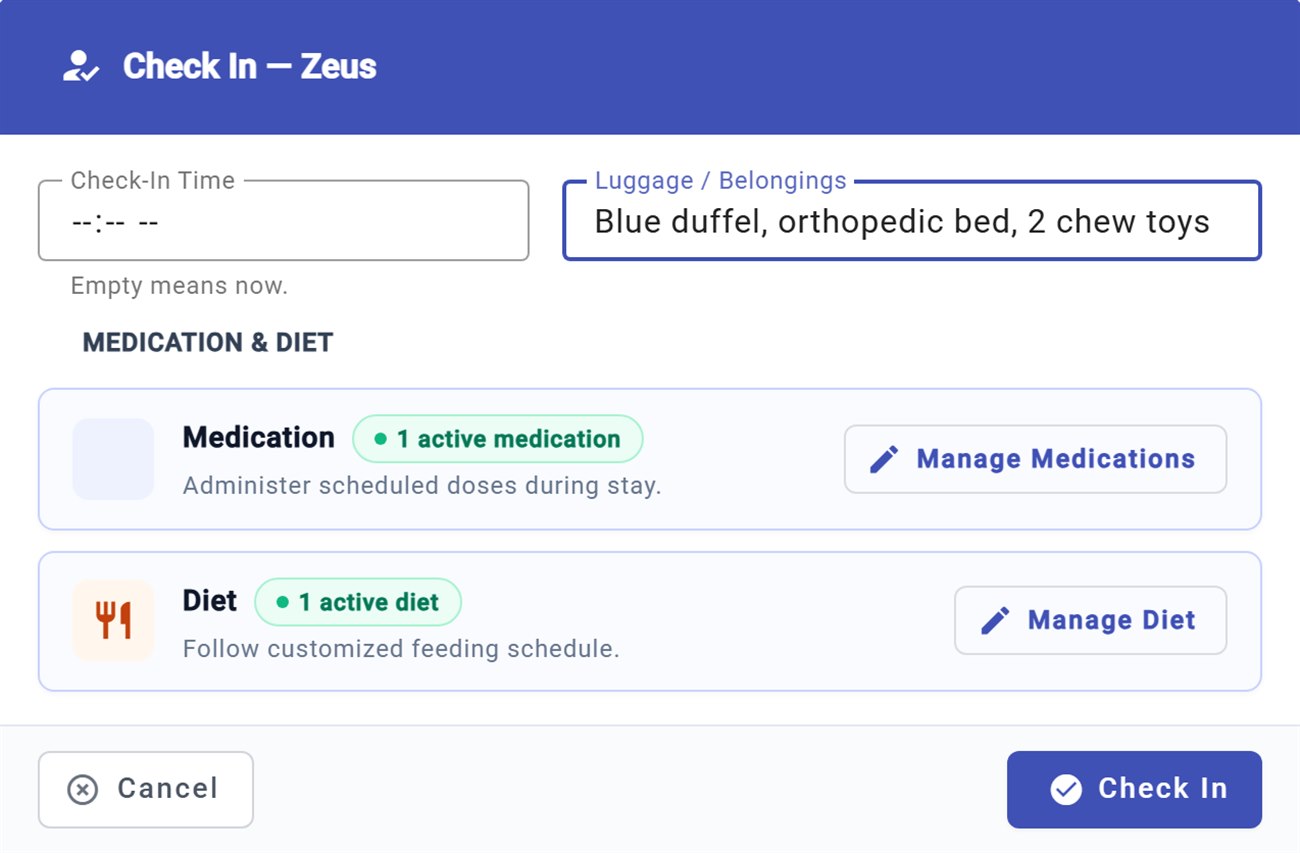
Belongings noted, medication and diet confirmed, deposit applied.
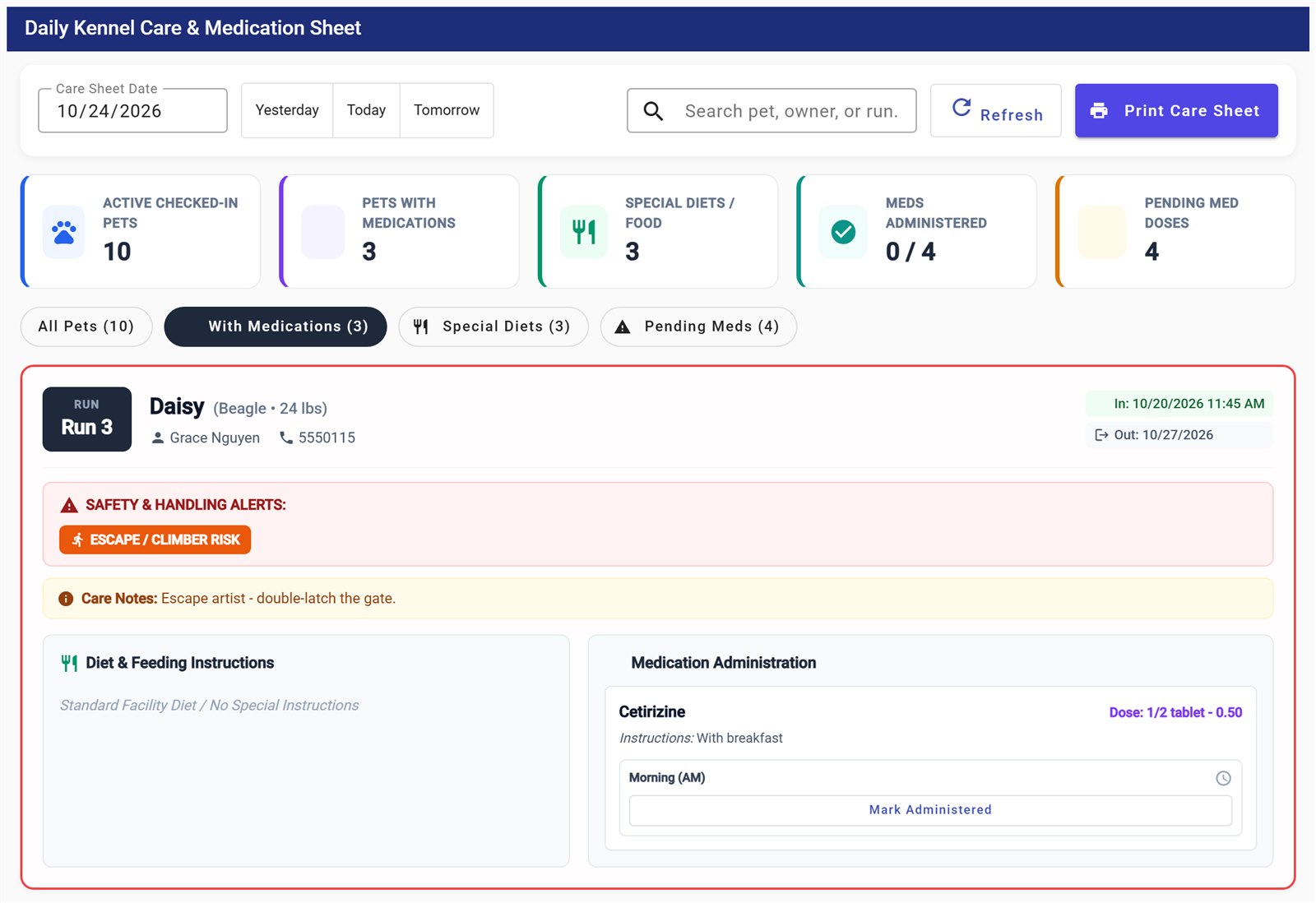
The care sheet lists every dog in the kennel with its feeding, dose and time slot, plus its safety alerts. Staff mark each dose as given, and a dose can be recorded only once.
Nights or daycare days, services and tax from your rates. A stay is checked out only once it is paid, and the invoice prints from the same screen.

A day with it
Arrivals due, check-outs due and who is in. Anyone overdue is flagged.
The care sheet shows each dog's feeding and medication. Doses are marked as given.
Belongings, medication and the deposit are on screen while the owner is at the desk.
The bill is ready, the payment is recorded and the invoice prints.
First kennels
We are opening Kennels360 to a small number of independent kennels first. You get a set-up call, your runs and rates entered with you, and a direct line to the team while you use it.
Questions
No. Kennels360 runs in the web browser on the front-desk computer or a tablet.
Not yet. The pilot starts clean: we enter your runs, services and rates with you, and customers and pets are added as they book.
Not yet. E-mail reminders are being built and will be switched on once your kennel's e-mail is set up.
Only your kennel. Each kennel's data is kept completely separate, and every branch sees only its own records.
Tell us. During the pilot, problems you find at the desk are looked at first.